Skip to content
View in the app

A better way to browse. Learn more.

居民友会

A full-screen app on your home screen with push notifications, badges and more.

To install this app on iOS and iPadOS
  1. Tap the Share icon in Safari
  2. Scroll the menu and tap Add to Home Screen.
  3. Tap Add in the top-right corner.
To install this app on Android
  1. Tap the 3-dot menu (⋮) in the top-right corner of the browser.
  2. Tap Add to Home screen or Install app.
  3. Confirm by tapping Install.

HOMESTAY,找室友。

Featured Replies

已经发过一次了,地点在WEST,马上可以入住,屋子在顶层,很清静。500一个月,包吃,宽带,热,电,家具都有。我的屋子在2层,顶层是3层。家里人很好,对我象亲生的一样。我人也很好相处。女主人在医院上班,她一般早上7点走,可以送去学校。有时下午还可以接。
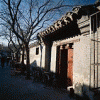
这里有我家的照片。

Create an account or sign in to comment

Account

Navigation

Search

Search

Configure browser push notifications

Chrome (Android)
  1. Tap the lock icon next to the address bar.
  2. Tap Permissions → Notifications.
  3. Adjust your preference.
Chrome (Desktop)
  1. Click the padlock icon in the address bar.
  2. Select Site settings.
  3. Find Notifications and adjust your preference.